Keylogger Software - PC Data Manager
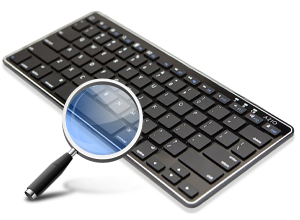
➤ KeyLogger Software is a powerful tool to monitor keystroke entries in your computer. DRPU PC Data Manager secretly captures all kinds of keystroke activities of your employees, kids, family members, students performed in your absence. Stealth PC monitoring utility provides added feature to generate and send encrypted log file of user activities to predefined email address. Software works as the background process and does not affect other programs running on the computer system.
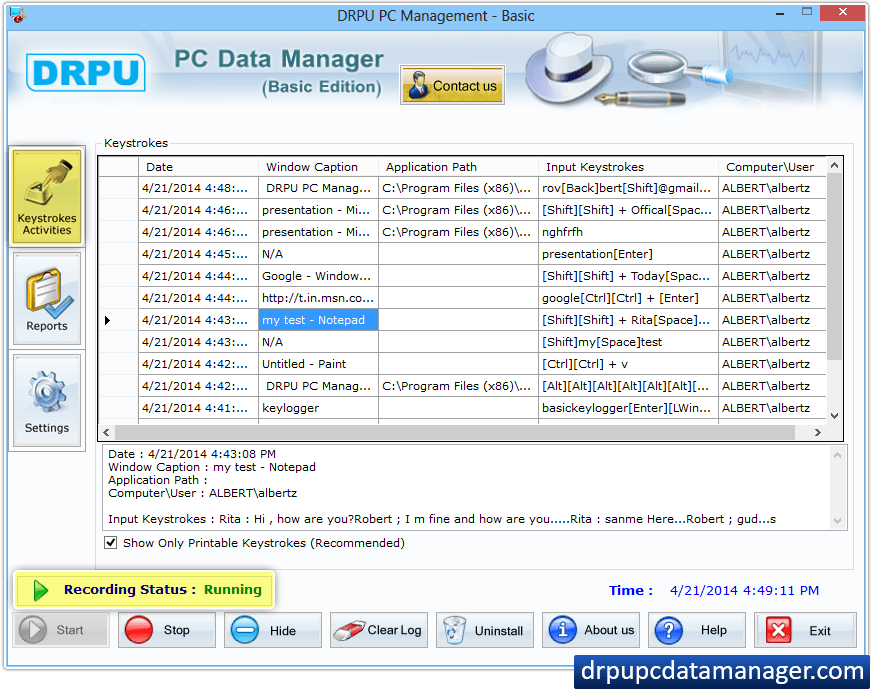
STEP 1 : Keystrokes Activities
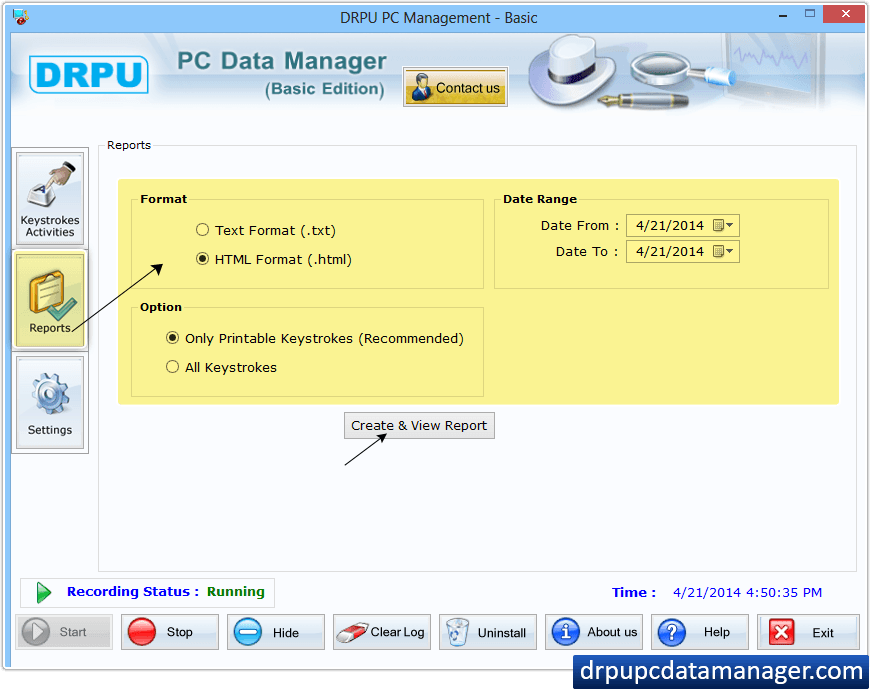
STEP 2 : Generate Reports
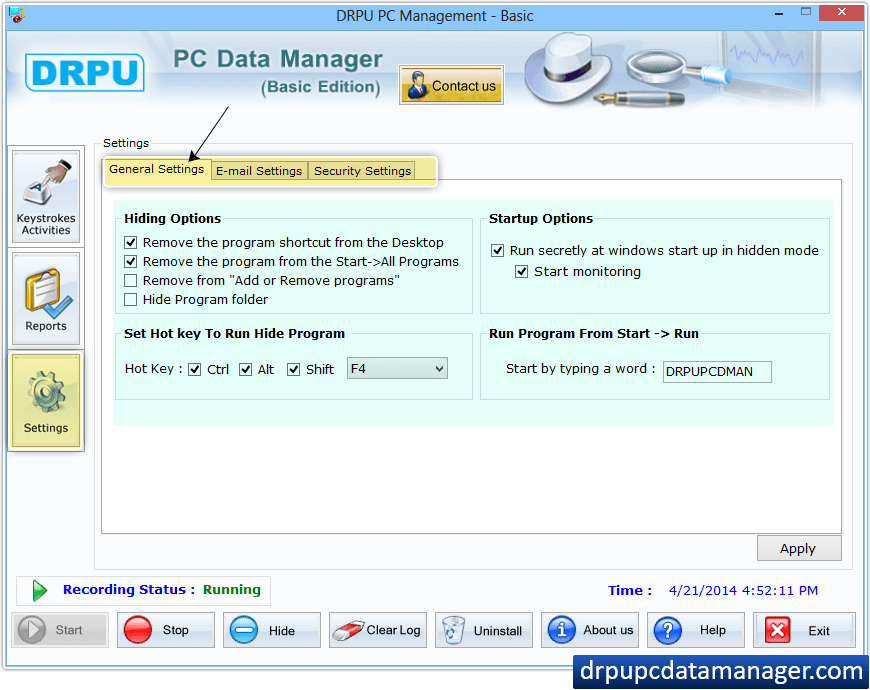
STEP 3 : Settings
- ➡️ Option to generate report of recorded keystrokes in .txt or .html file format.
- ➡️ Settings to access the application if it runs in hidden mode.
- ➡️ Set Run Command Settings (Software runs secretly at windows startup). Facilitate to display computer name and user name.
- ➡️ Flexible Option to View Keystrokes (Facilitate to view input keystrokes with option to view only printing keystrokes).
- ➡️ Windows OS supported (Works with all major versions of windows operating system). Simple to use and offers the most powerful and complete keystrokes monitoring solution.
MAC Log Manager (Keylogger software for Mac OS X)
➤ Mac OS X Keylogger software is capable to record and monitor user activities performed on Apple mac machines. Great and significant mac keylogger is useful to find out what your Family members or Employees are doing in your absence while using Apple Mac OS system.
➤ Best featured and simple to use keylogger mac OS X provides powerful solution to record each and every Keystroke details, Clipboard contents, System activities, Internet activities, Application open and closed and captures screenshots at defined time interval. It is also important to understand that mac spyware program is easy to operate and provides best monitoring results.
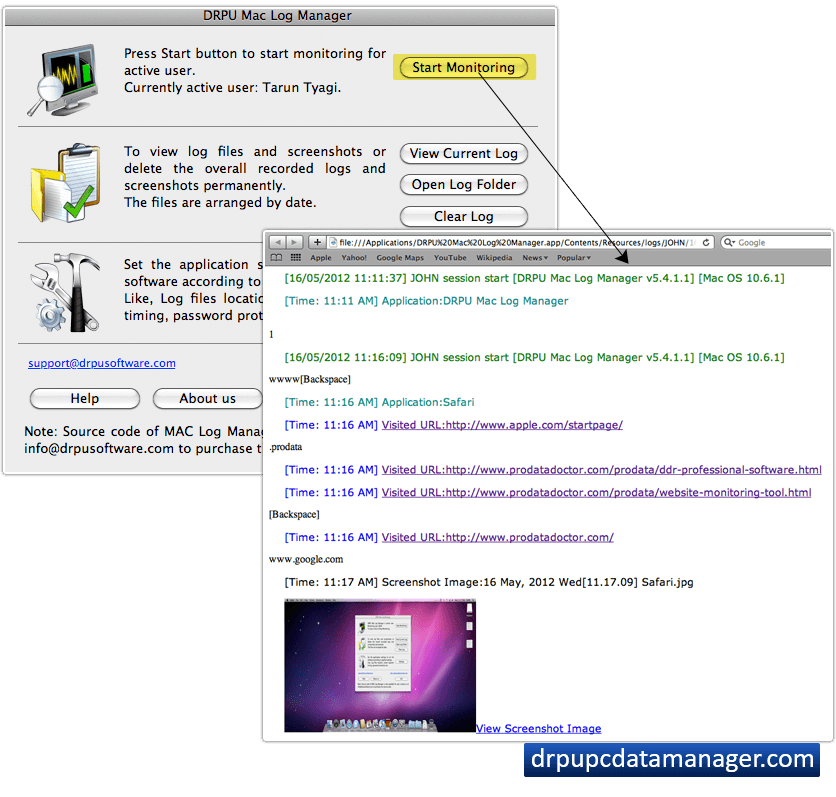
STEP 1 : Start Monitoring
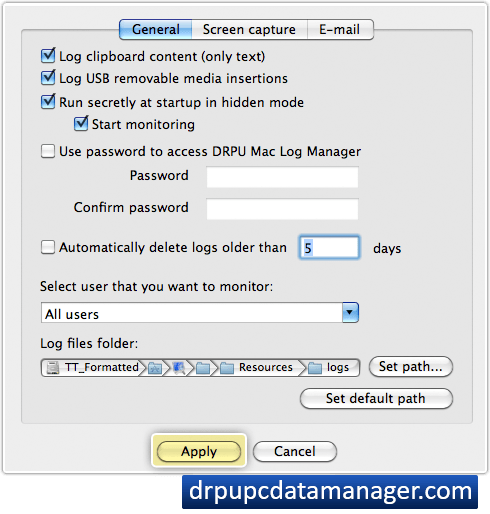
STEP 2 : Select General option
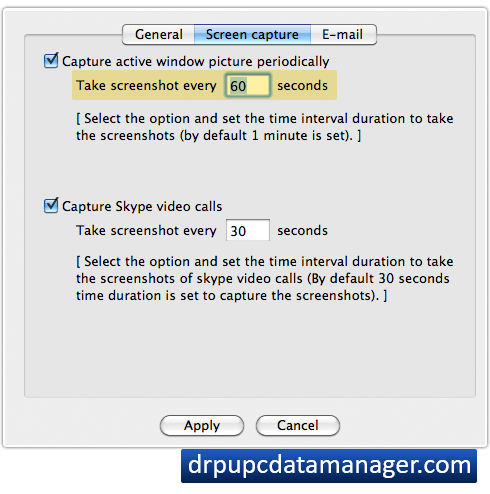
STEP 3 : Screen Capture
STEP 4 : E-mail
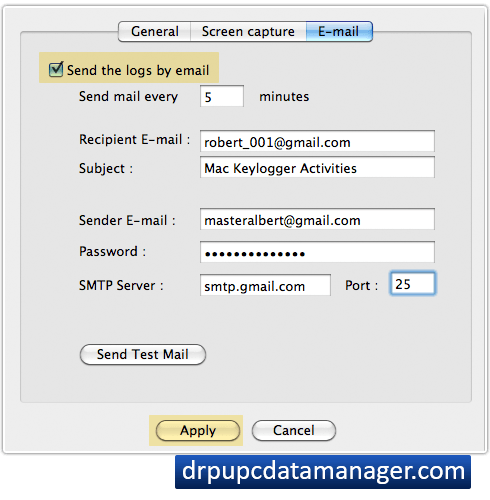
- ⮞ Keylogger mac software operates in hidden mode.
- ⮞ Mac osx keylogger program is password protected.
- ⮞ Monitoring software for mac generate log in HTML file format.
- ⮞ Monitoring Employee overall computer activities.
- ⮞ Kids web surfing details.
- ⮞ External user’s laptop or desktop usage.